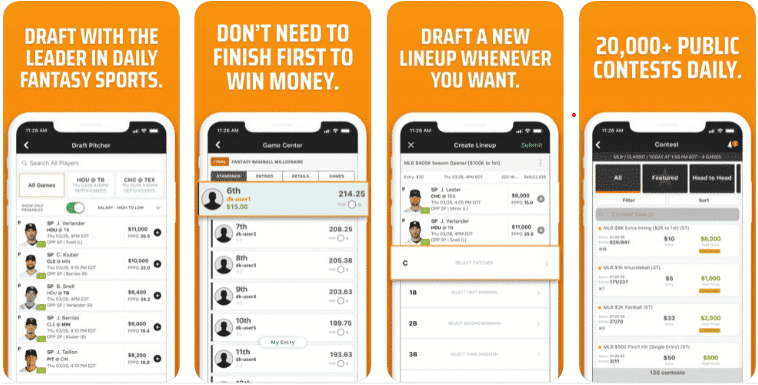


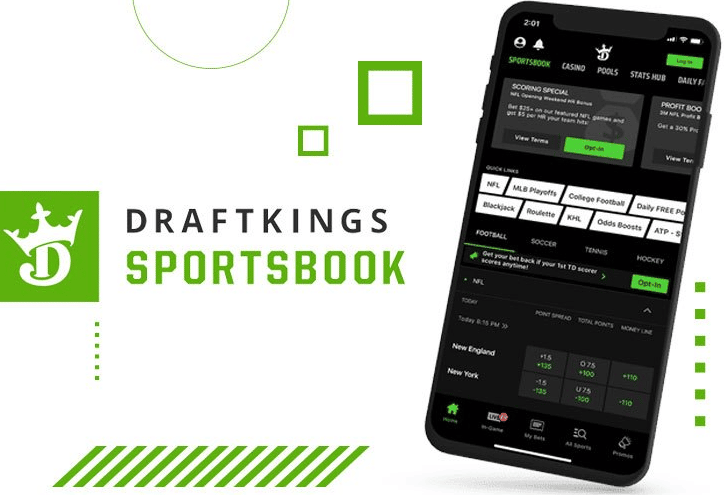
I had the pleasure of testing the DraftKings app, which is one of the most highly regarded and popular US bookmaker apps out there. I tried out all of its features and functions and used it as my go-to app for all sports betting over the course of my testing period.
This is one of the best, if not the best, sportsbook apps I’ve ever tried. It’s no wonder DraftKings is so popular. The user experience on the app is exceptional, apart from a few minor bugs and a relatively normal amount of occasional lag.
| ✅ Excellent user experience |
❌ Occasional lag and freezes |
| ✅ Live Streaming & live betting |
❌ Geolocation can malfunction |
| ✅ Allows players to demo games |
❌ Not legal in all 50 states |
| ✅ Clean and organized UI |
How to Download & Install DraftKings app
Getting the app is extremely easy and only takes a minute. Follow the steps below:
1) Search in the App Store
On your iPhone or iPad, open the App Store and type “DraftKings Sportsbook & Casino” into the search bar. The app includes both the sportsbook and casino, but you can use just the sportsbook if you prefer and leave the casino section alone.
The developer’s name is ‘DraftKings,’ and you should see the DraftKings icon, which is the letter ‘D’ with a crown on it.
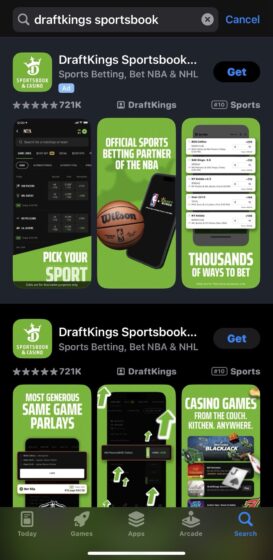
2) Initiate DraftKings app download
Once you’ve selected the app from the App Store, you should look at the DraftKings app’s page. There will be a ‘Get’ button. Press that, approve the download when prompted, and the download and installation will begin.
3) Wait for the installation to finish, then launch the app
Wait for the app to complete installing on your phone, and tap ‘Open’ to launch it straight from the app store page, or go back to your home screen and find the Draftkings icon so you can open it from there.
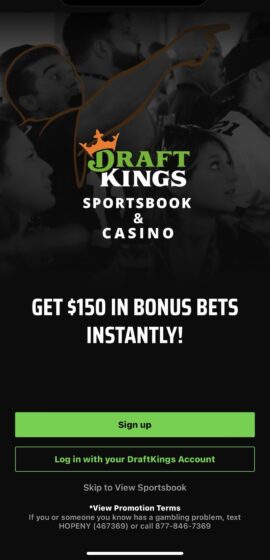
Once the app is open, you can begin setting up an account. Make sure to allow the app access to your phone’s precise location upon account registration. Once you register, you’ll be ready to make bets.
1) Search in the Play Store
On your Android device, find the Play Store and open it. Search for “DraftKings Sportsbook & Casino”. You should see the DraftKings logo. Tap it to select.
2) Begin downloading the app
Check the developer’s name to be sure it’s the correct app, which is DraftKings, Inc. Press the ‘Install’ button, and you’ll be prompted to approve the app download. Once you approve, the Drafkings app will begin installing onto your device.
3) Once installation finishes, launch the app
Wait a minute or so for the installation to finish, and then tap the ‘Open’ button from the app page you downloaded. Alternatively, you can close the Play Store and find the Draftkings app in your app library to open it.
4) Launch and register
Once you’ve opened the Draftkings app, you can allow it to access your location (this is a requirement to place bets), and register a new account. If you already have an account, log in with your username and password. Otherwise, you must create a new account with the DraftKings sportsbook promo code.
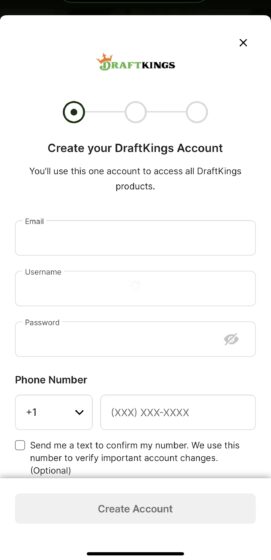
Type in all required details, such as your name, address, and email address. Once your account is active, you can make your first deposit and use the app.
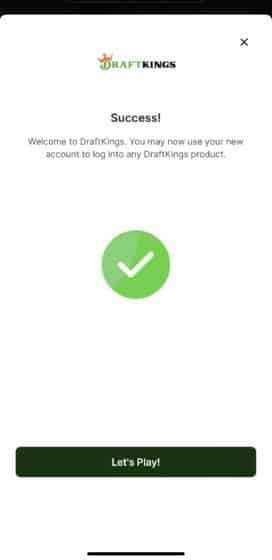
Note that Android users can also download the DraftKings sportsbook app instead of getting the app through the Play Store.
How to confirm your email address after creating an account
After your account is set up, you should validate it. DK will start the process online and try to verify your identity, but if they can’t, you should send copies or pictures of documents that prove your:
- Identity (passport or driver’s license)
- Address (recent utility bill or bank statement)
- Payment method (recent card or bank statement)
- What Does DraftKings Offer on Their Mobile Sportsbook Application?
Top features of the app in 2026
The DraftKings app was a bit larger of a file and took up more space on my device than most other top online sportsbooks in the United States. For example, the Fanduel app is half its size. But this is still a reasonable file size, especially considering it’s the sportsbook and casino.
I would have preferred there to be a separate app for the casino since I like my apps to be as orderly and sleek as possible, but this is not a big deal.
Here’s some basic information about the app:
| App developer |
DraftKings, Inc. |
| Number of sports |
23+ |
| Daily Fantasy Sports |
No |
| Loyalty program |
Yes |
| App size |
313MB |
| Customer Support Options |
Phone (callback only), live chat, email |
| Live betting & streaming |
Yes |
| Download |
Download the Draftkings App
|
Sign Up Offer Available for DraftKings Sportsbook App
If you were wondering how to enter a promo code on the DraftKings app, don’t worry. I didn’t need a code to take advantage of the sign-up bonus. The DraftKings website currently doesn’t require any promo code for the sportsbook welcome offer, and it worked automatically after I completed the registration steps.
The welcome offer is tied to your first deposit and wager. After depositing, I selected the bonus token, wagered $5 on a bet with minimum -500 odds, and my bet won, so I received $200 in bonus bets.
The way the offer works is that you receive the $200 bonus only if your first bet wins, which is similar to how many sportsbook offers now operate. I liked that the bonus can be spread across multiple bets rather than being limited to one large wager. I used my $200 in bonus bets across various parlays and prop bets, though keep in mind the bonus bets expire in 7 days and you need to plan accordingly.
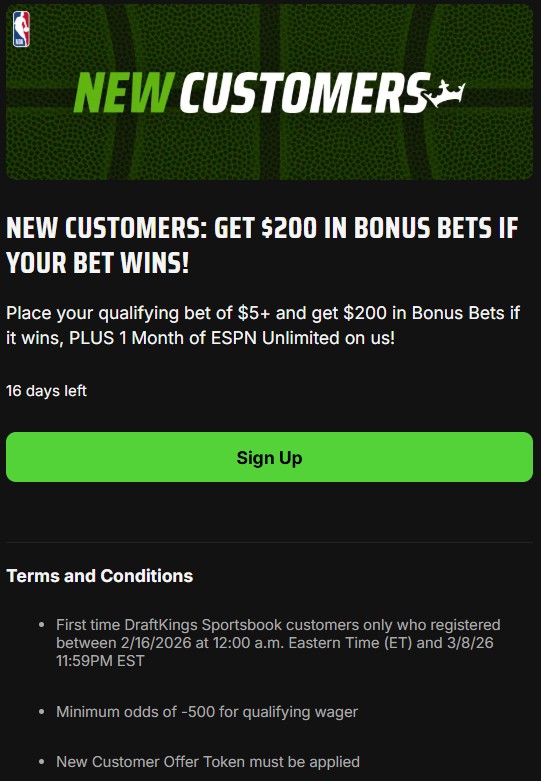
I chose to have some fun with my bonus bets and wager a little riskier than I normally would if I were using funds from my own bankroll. It was exciting to see the potential if these bets hit.
DraftKings Mobile App Review
DraftKings has been a daily fantasy sports site since 2012. Although its app dates back to its beginnings, you can tell it’s refined its mobile offering over the years.
There is only one app for the sportsbook and casino, regardless of which DraftKings Sportsbook legal state you are in. I prefer this because it makes registering and using the app easier in other states.
The app has an intuitive layout that makes everything easily accessible. I liked the black and green color scheme and the overall look and feel of the app.
It had all of the functionality I needed. There wasn’t anything missing from the app that I would have had to go to the desktop version of the site for.
However, the geolocation function can be a bit finicky. Most of the time, it was fine, but I was prompted randomly a few times, and at other times, it didn’t work. Then, I needed to close the app and open it again to get it to work properly.
Here’s my experience with some of the features.
Sports available on the app – 25+ American sports
DraftKings offers plenty of sports to choose from, even more than some of its competitors. From the app, I could bet on any of the sports I wanted, including all of the options offered on their desktop site.
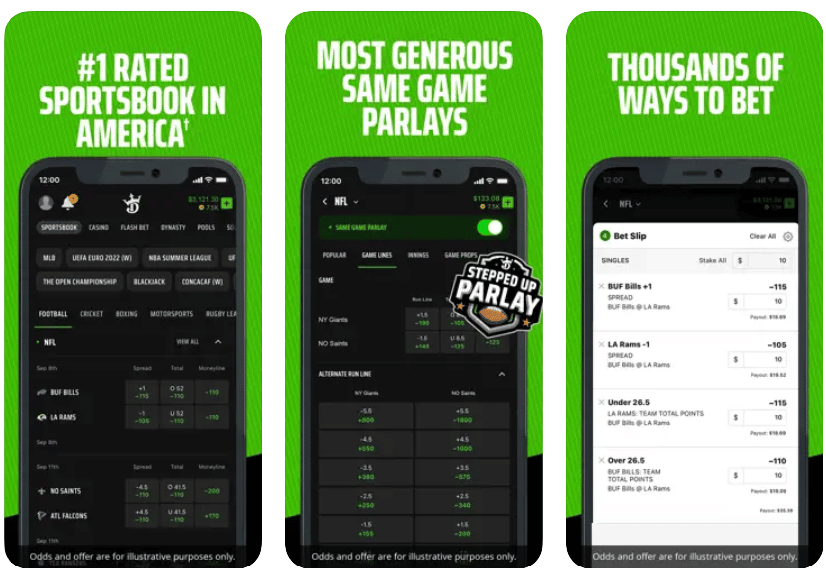
Within each sport, there are a variety of leagues to choose from. Whether you’re only into the majors or you like betting on minor or international leagues, the app caters to just about anyone. I like the fact that you can even bet on sports seldom seen in sportsbooks, such as cornhole and lacrosse.
Here’s what they offer:
- Auto
- Aussie Rules Football
- Baseball
- Basketball
- Boxing
- Cricket
- Cornhole
- Cycling
- Darts
- Football
- Golf
- Hockey
- Lacrosse
- Motorbikes
- Olympics
- Rugby League
- Rugby Union
- Snooker
- Soccer
- Tennis
- UFC/MMA
- Volleyball
Betting markets in the sportsbook app – beyond the basic betting options
I found DraftKings fully equipped with all the betting options I would ever need. The app has all of the following:
- Money lines
- Totals
- Prop bets
- Player props
- Parlays
- Futures
- Teasers
- Live betting
All of these worked great in the app, and having such a wide range of options was nice.
When betting on the NFL, there’s a ‘TD Scorers’ tab built in that displays the odds for every potential touchdown scorer in every NFL game. You can bet on whether the player will score first, last, or anytime. As a big football fan, I loved this. It’ll really come in handy during the NFL season.
Parlays – easy as pie!
I liked how easy and smooth the parlays were to set up. The odds updated in real-time as I chose each leg of my parlay, which was important since I could decide at the moment as I crafted my parlay.
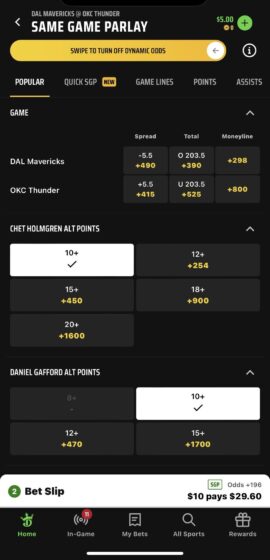
Same-game parlays were just as well-designed. You can swipe across at the top of the SGP page to activate dynamic odds. Switching this on made me feel more certain about the odds I was looking at and more confident in my decision-making.
Live betting – slight lag but nothing worrisome
The live betting function was quick and responsive almost all the time. However, there were a few times when I experienced a little lag, but nothing affected my bets. This is relatively normal, though, and I’ve found that most sports betting apps sometimes lag.
DraftKings provided all the variety I wanted regarding betting options and then some. It’s extremely robust and thorough—something that people who are true sports betting fans will appreciate.
Despite the lag mentioned above, it’s still one of the top betting apps for live betting that I’ve ever used.
Teasers – DraftKings’ mobile specials
This is another feature that really stood out to me. The DraftKings app is excellent for offering teasers, especially Super or Monster teasers.
In football, Super teasers have three picks and 10 points. In basketball, it’s eight with -120 odds and ties lost.
In football, Monster teasers consist of four picks with 13 points -140 odds. In basketball, it’s ten points -120 odds and ties lose.
I appreciated having more variety and loved how the teasers were set up especially the Super and Monster teasers.
How to Wager on the DraftKings Mobile Application
Placing a bet on the mobile app is the same as placing it on your desktop, but instead of using a computer mouse, you will have to use your fingers to tap on the screen. Here is the process in steps:
- Open the DK Sportsbook app and log in to your account.
- Choose which sport and event you want to wager on and click to open the available markets.
- Add a market to your bet slip by tapping on the odds you choose.
- If you don’t skip this step, you can add more selections to your wager.
An example of a bet I placed on the app
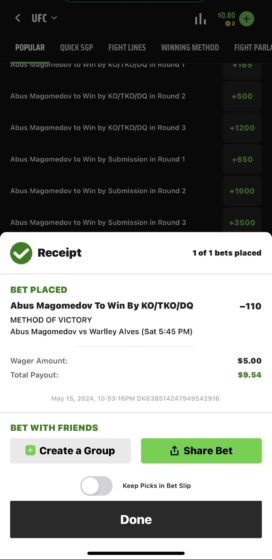
With a big weekend coming up for UFC, I put a $5 wager on Abus Magomedev to win versus Warlley Alves. A simple $5 wager like this is enough to unlock the bonus bets after the fight.
I find placing bets on DraftKings to be extremely easy. When I placed the bet, it appeared in the ‘My Bets’ section.
My Tips for Placing bets on DraftKings mobile
After thoroughly testing the app and getting used to its advantages and quirks, I recommend some things to maximize your experience with the DraftKings sports betting app.
- At the top of the SGP page, remember to swipe to activate real-time dynamic odds.
- Make your first winning wager of $5 within the first month to unlock the $200 in bonus bets.
- Enable location services on your device before installing the app and keep it enabled.
- To avoid issues, only attempt to deposit or withdraw while physically in the state you registered your account in.
App Safety and Trustworthiness
DraftKings is a titan of American sports betting, and the corresponding app is used and trusted by those who play with high stakes. It has the pedigree of being one of the top options, with the credentials to match.
Draftkings has the necessary licenses to operate in each state. These official regulatory organizations, including the New Jersey Division of Gaming Enforcement, the New York State Gaming Commission, and others, ensure the bookmakers’ fairness and legitimacy within their jurisdiction.
The app and the main site use SSL encryption to secure all data, including your financial and personal information. And regarding responsible gaming, there’s an advisory and contact info for gambling help right on the sign-up or log-in page at the bottom.
Reviews from other users
The Draftkings sportsbook and casino apps are combined, so it’s important to consider this when assessing its rating on the app stores. Some complaints were things like “Why is my Draftkings app not working?” or “There’s so much lag.” Nevertheless, it’s still the #8 downloaded app in the Apple App Store’s Sports category and has a solid overall app rating.
| Google Play Store (USA) |
4.6/5 |
146k reviews |
| Apple Store |
4.8/5 |
718k ratings |
Deposits and Withdrawals on the DraftKings Sportsbook App
I had no trouble making deposits or withdrawals on the app, including Apple Pay, PayPal, credit/debit cards, Venmo, online banking, and more. Several of these payment options offer instant deposit, which was great since it allowed me to top up my balance on the fly if needed.
As expected from any sportsbook app, withdrawals took longer than deposits, usually around three business days, depending on my chosen method.
Note that payment options are determined by state officials and can vary based on your location. We’ve discussed payment methods in detail in our DraftKings review, so do check that out.
These are the most common options:
- Prepaid DraftKings card
- Casino cage
- PayPal
- ACH/E-check
- Bank transfer
- Debit/credit card